 Apple Music to MP3 Converter
Free Apple Music to MP3 Converter
Best Free Online Apple Music to MP3 Converter.
Convert Apple Music to MP3 in 320kpbs for Free.
Just copying & pasting Apple Music URL into our online tool start downloading process.
Directly download Apple Music songs, playlists and albums to your devices for offline listening.
How to Download Apple Music to MP3 for Free
Step. 1 : Open the Apple Music App, or the Apple Music website music.apple.com in your browser.
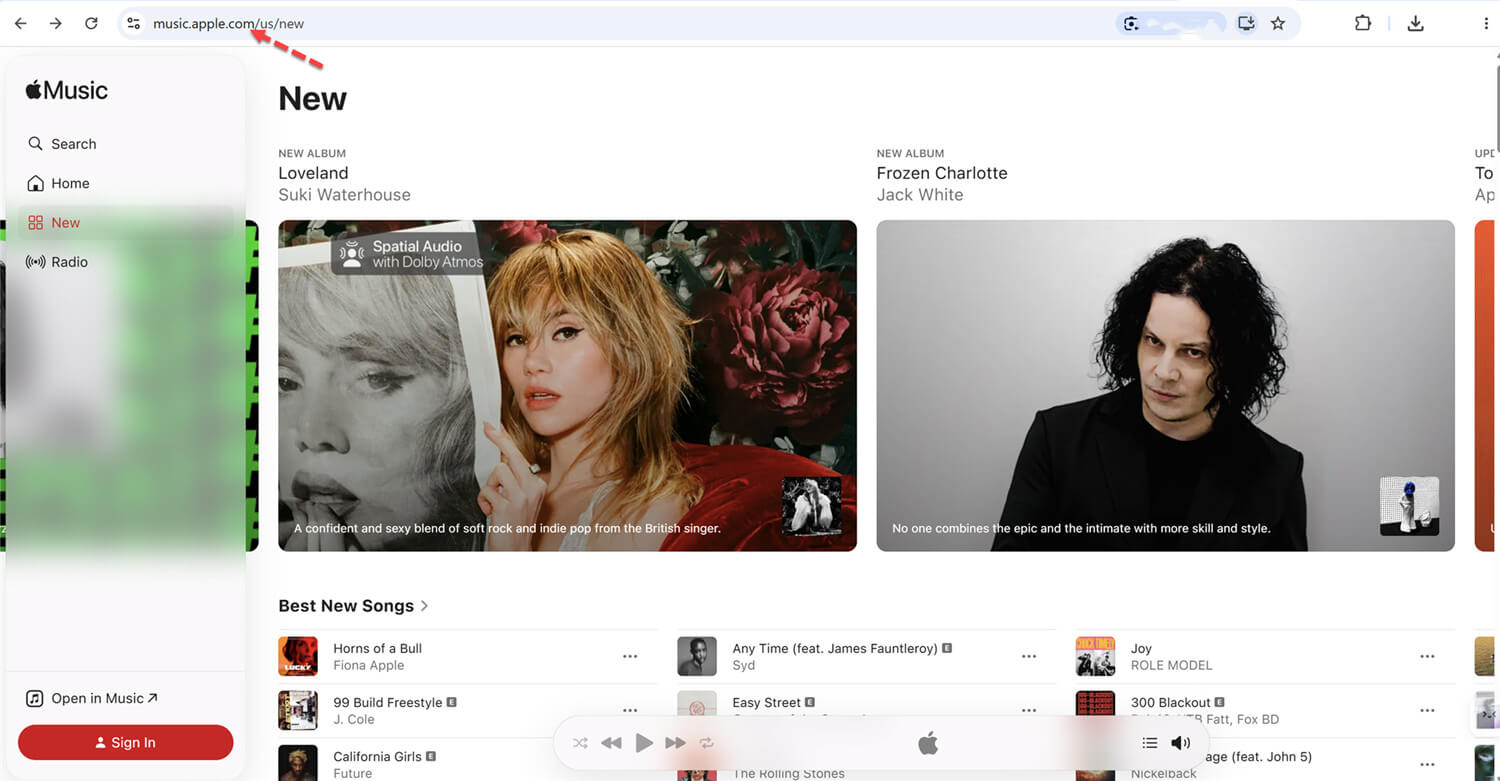
Step. 2 : Open the Album or Playlist and select the song you want to download in MP3.
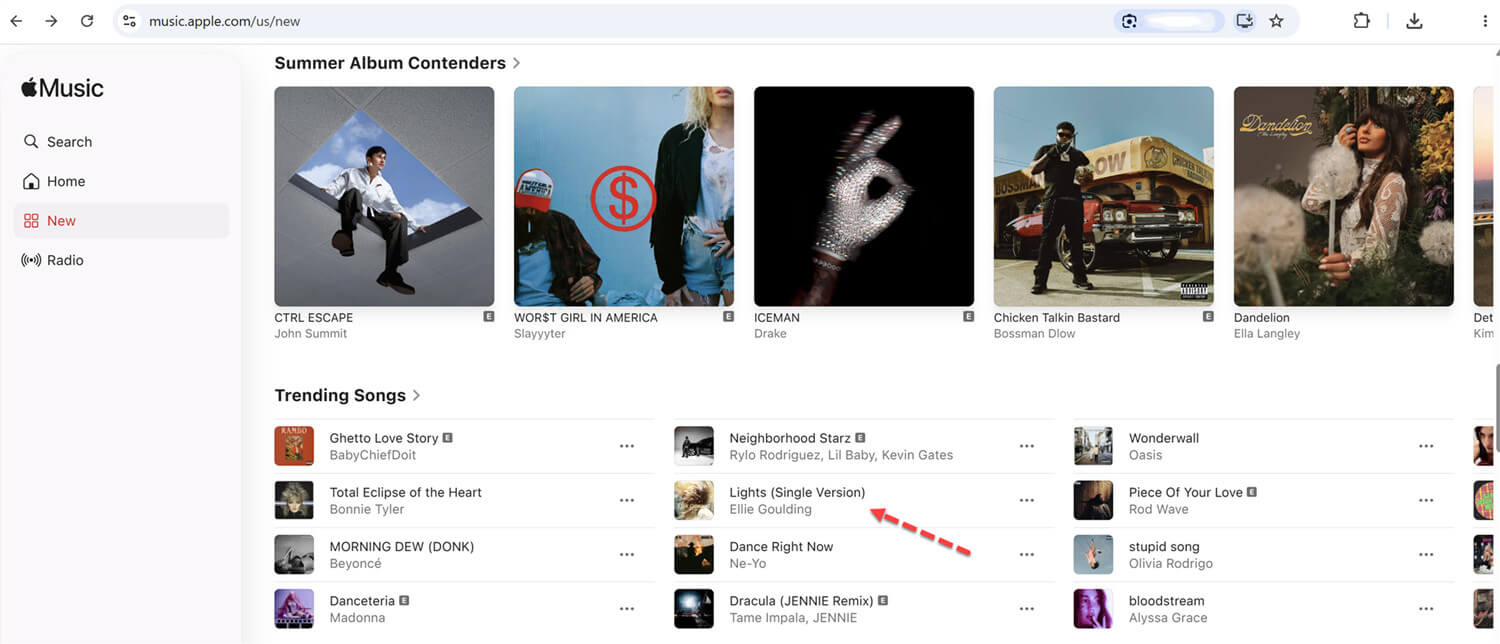
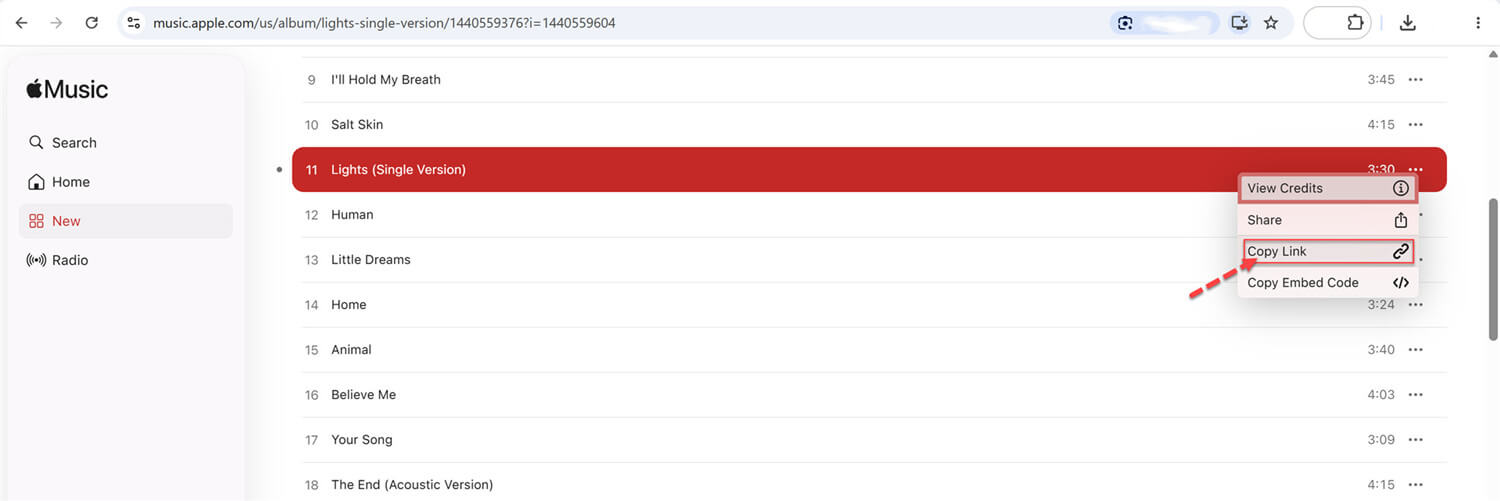
Step. 3 : Find a track you want to download, Click the and click button.
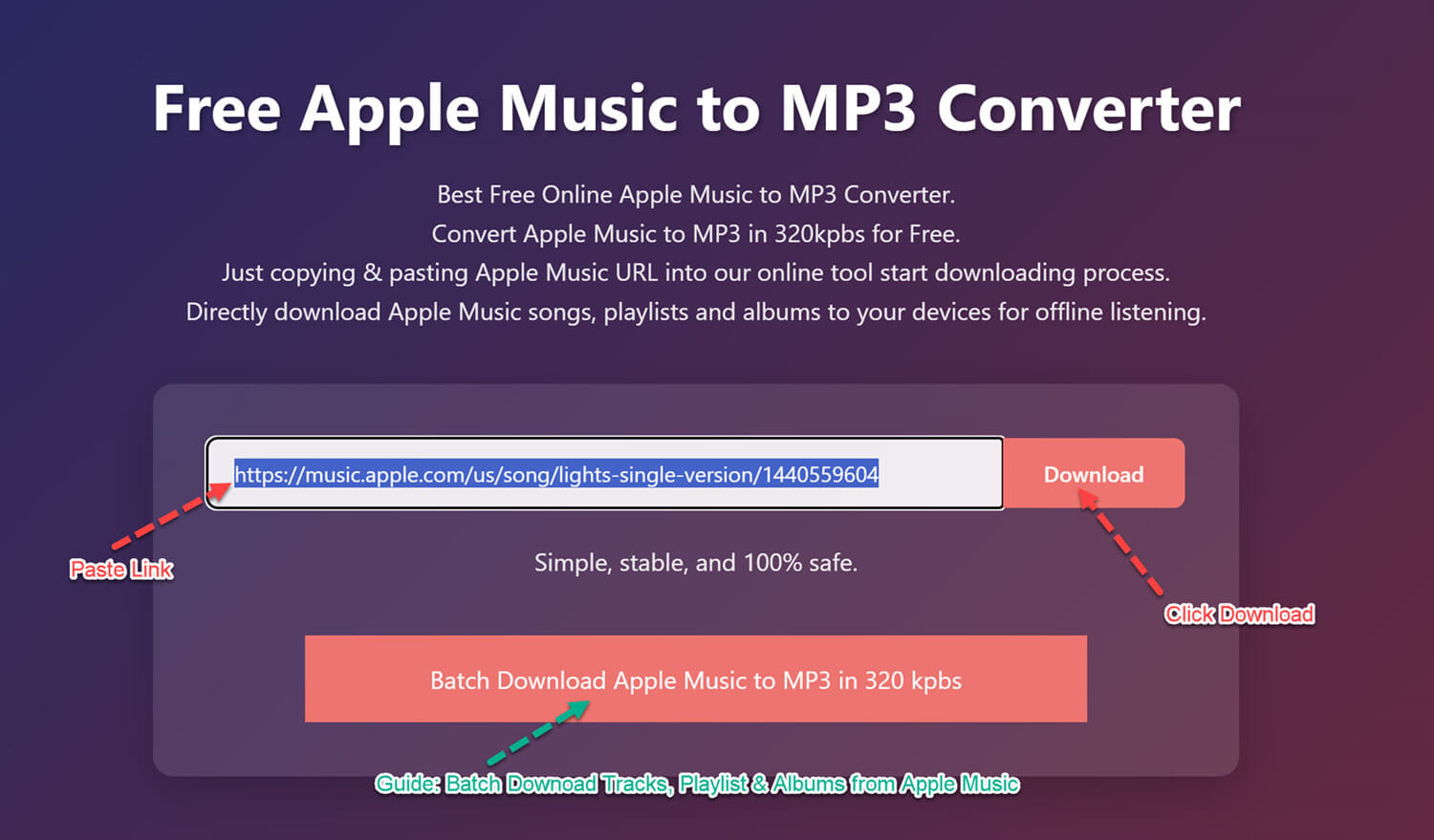
Step. 4 : Visit Convert-Apple-Music.net Apple Music Converter to MP3, and then paste the link in the search box above, click "Download" button, and wait for the website to process the link, then select MP3 quality and start download Apple Music to MP3.
Step. 5 : After saving the MP3 music to your device, you can enjoy your music offline! 🎉
Tips : To batch download Apple Music Playlist/Album for offline listening anywhere and anytime, view below simple guide
- Batch Download Apple Music Playlist/Albums to MP3

Copy the Song or Playlist URL from Apple Music
Open Apple Music app, iTunes app, or go to Apple Music web player, then copy a track or playlist URL that you want to download.
Paste the Apple Music Track’s URL
Visit the website ConvertAppleMusic.net Apple Music Converter to MP3, and paste the Apple Music track's URL into the input field on ConvertAppleMusic website
Click the Download Button
Click the “Download” button and wait for the ConvertAppleMusic website to process.
Download Apple Music to MP3
The website will show you downloadable MP3 songs (Playlist/Album with ZIP download). Just choose a Mp3 quality and click “Download” button to download Apple Music songs to MP3 format.
Apple Music Converter Online
ConvertAppleMusic is a free online tool to help you download Apple Music to MP3 format, this website can help you directly download Apple Music songs, albums, and playlists to computer and mobile phone for free. Unlike other online Apple Music downloaders filled with annoying ads and pop-ups, our online Apple Music Downloader is 100% ad-free and reliable. Just copy the URL of the Apple Music song, album, or playlist, paste it into our online tool start to download Apple Music to MP3 format, without paying any fees.
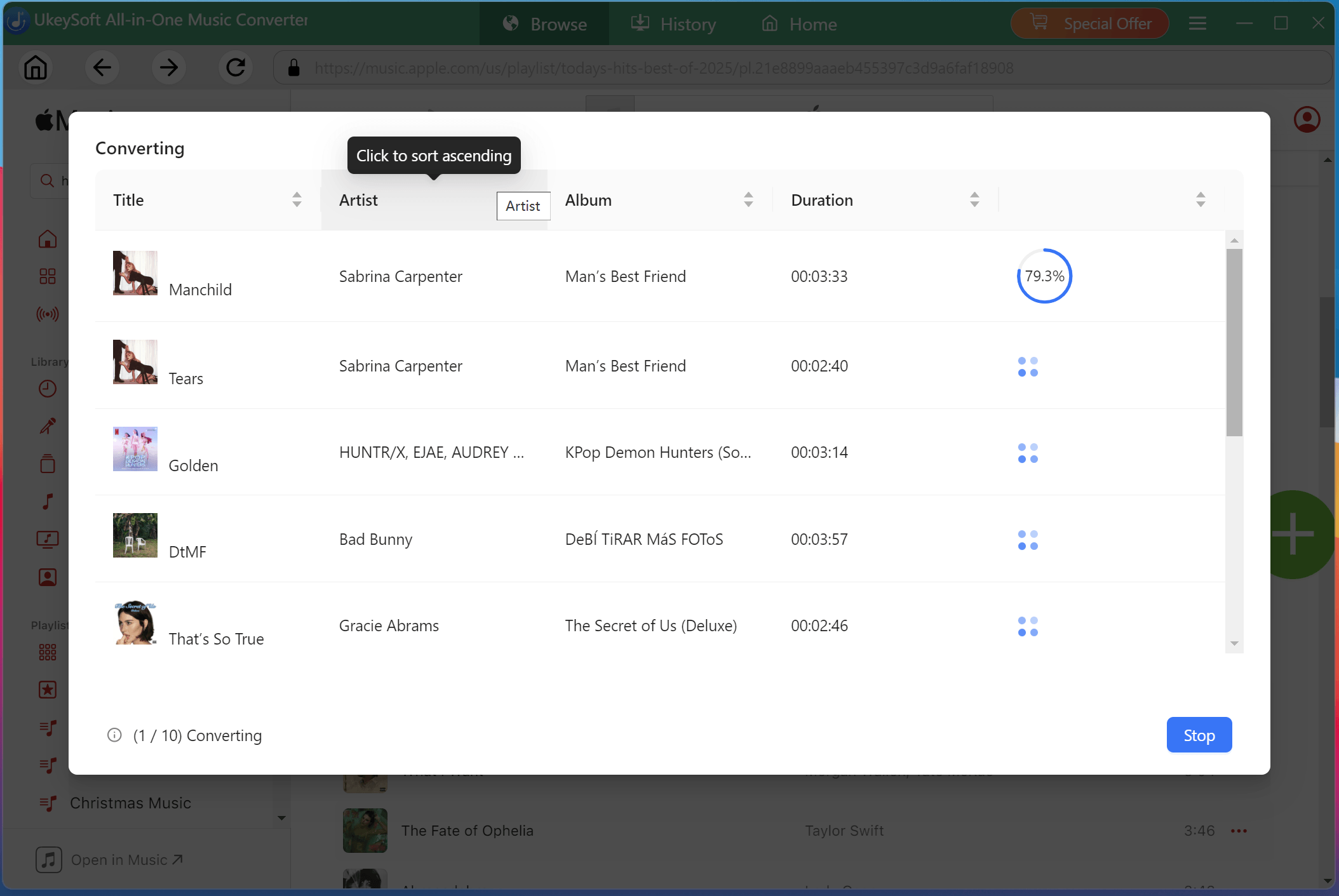
By the end of this page, you’ll be able to batch-download Apple Music tracks, albums, and playlists to MP3, M4A, FLAC, AAC, WAV, and AIFF with a more powerful desktop tool like UkeySoft Apple Music Converter.
Simple and Free
There's no software installation required. This easy-to-use Apple Music converter allows you to convert Apple Music to MP3 online completely free, making it ideal for beginners.
Download Anything
Compared to other online Apple Music downloaders that only let you download single track from Apple Music, our tool supports to download individual tracks, full albums, and even entire playlists to MP3 for offline saving and listening.
Popular Formats
Our Apple Music converter supports multiple formats, including MP3, M4A, WAV, AAC, FLAC, and AIFF. This flexibility allows users to save, transfer, and play their favorite Apple Music tracks on any device, player, app, and platform.
High-Quality Output
Unlike other Apple Music downloaders delivering 128kbps low quality, our free Apple Music converter supports high bitrates, such as 320kbps for MP3 and up to 640kbps for M4A/AAC, ensuring excellent sound quality when you download Apple Music to MP3.
Fast Downloads
This tool applied advanced download technology to boost download speed and provide you with an unparalleled experience. You can quickly get MP3s from Apple Music in seconds.
Keep ID3 Tags
Most online websites only retain very basic ID3 tag metadata when exporting songs. This online Apple Music converter automatically preserves full ID3 tags for better management, including title, artist, album, artwork, and genre, etc.
No Registration
This Apple Music to MP3 converter works directly in your browser, supports both desktop and mobile devices, and does not require any app installation, account registration or payment.
No Annoying Ads
Tired of ads and pop-ups when downloading Apple Music online? No worry! Our Apple Music downloader has a clean, secure, and stable interface, with no intrusive ads.
Our Reviews
Why Choose Us
ConvertAppleMusic is a free and easy-to-use online Apple Music downloader to help Apple Music lovers to download songs, albums, and playlists from Apple Music for free. It can convert Apple Music to MP3, WAV, FLAC, AAC and more formats, which are playable on most music devices and players. However, it should be noted that all downloaded songs are for personal listening only and may not be used for commercial purposes.
Compared to traditional converters, this online Apple Music Converter is faster to access and works across multiple devices. You don't need to install any third-party software or app. Whether you're using a PC, Mac, tablet, or smartphone, you can rely on our tool to download Apple Music to MP3 for free. Once you get a URL from Apple Music, you can use our online tool to save Apple Music as MP3 audio file in high quality. The process is straightforward, making it accessible for users of all experience levels.
User Reviews
Matthew
October 15, 2025
I mainly use this online Apple Music downloader to turn my Apple Music playlists to MP3 files so I can put them on my older iPod Nano. Unlike other websites I've used, this tool is quite easy to use, and no ads.
Ethan
September 25, 2025
Overall, using this Apple Music converter has been a really good experience. It's perfect for downloading Apple Music songs to MP3. I can transfer the downloaded songs to USB disk for offline listening in my car. This tool is very helpful.
Grace
November 12, 2024
I use the Apple Music converter to rip my Apple Music tracks to MP3. The tool works great with Apple music. I also tried other online Apple Music converters but they come with lots of disadvantages such as annoying ads, pop-ups and lossy quality. I love this tool because it has no ads and the download quality is very high.
Frequently Asked Questions
Yes. This page is 100% safe and reliable. No registration, no software installation, no payment.
Yes. Our online Apple Music downloader allows you to paste an album URL and download Apple Music to MP3 for all included tracks.
Yes. Our Apple Music converter supports downloading singles, albums and playlists from Apple Music. Simply copy the playlist link from Apple Music, and paste the link to our page, hit "Download" button to convert Apple Music to MP3 online for every song in the playlist.
Yes. Our Apple Music downloader is browser-based tool, working on both computers and mobile devices. You can visit our page in your phone browser, paste any Apple Music URL, and download Apple Music to MP3 for free directly to your phone.
It depends on what device you are using. If you open our page in a computer/laptop browser, after downloading, go to "Download history" in the browser to get the output files. For mobile browser (like Chrome or Firefox), downloaded songs are typically saved in the "Downloads" folder within your phone's internal storage.
Our Apple Music converter ensures lossless audio output. To convert Apple music songs free in MP3 format, you can choose highest 320kbps bitrate.
Of course! Once you download Apple Music to MP3, the files are stored locally on your device and can be kept permanently, even if your Apple Music subscription ends.
Yes. After using our tool to convert Apple Music to MP3, you can transfer the output MP3 files to any compatible MP3 player like Sony Walkman, SanDisk via USB able.
After you download Apple Music to MP3, insert your USB drive into your computer, copy&paste the downloaded MP3 files directly into the USB folder for easy playback anywhere.